How CatCompanion works

Step-by-step guides with real screenshots from the app — for cat breeders, cat owners and anyone looking for a kitten.

QR code that opens CatCompanion in the App Store
Scan with your phone's camera

The code opens CatCompanion in the App Store on your phone.

For cat breeders

From mating to moving day: run your whole cattery from your phone.

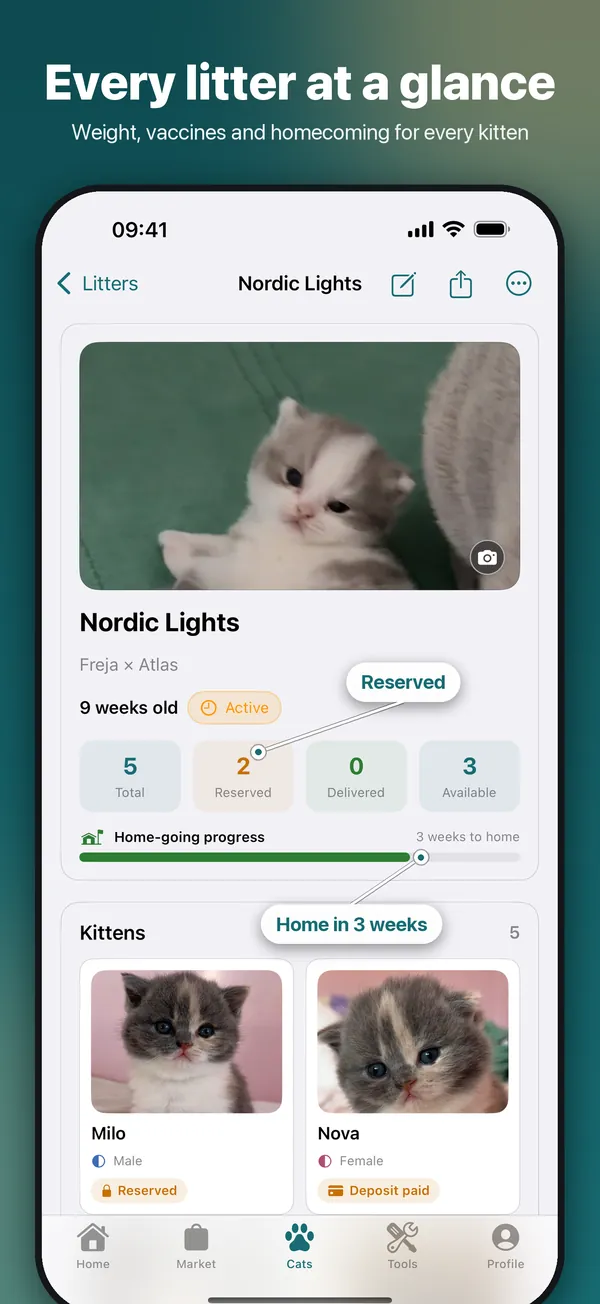
CatCompanion litter view: the litter Nordic Lights with kitten photos, reserved and available kittens and weeks until homecoming
Cat Breeder Premium

Litters and kittens, step by step

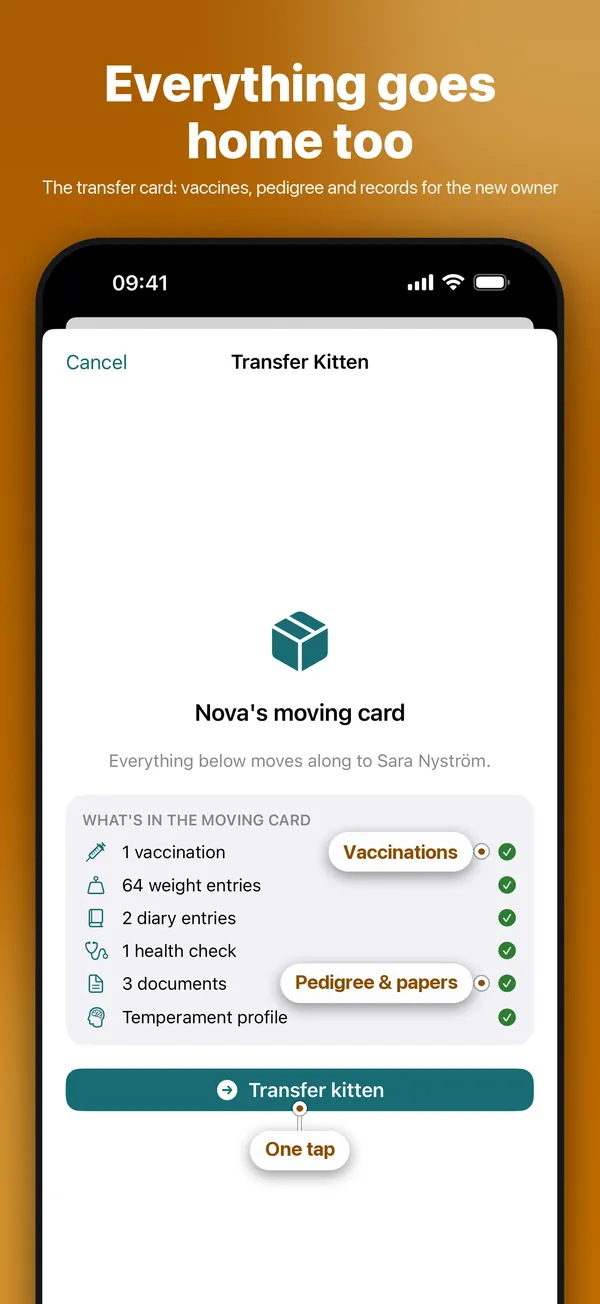
Register the litter once and every kitten gets its own profile — weights, reservations and the moving card all follow from there. Heat and mating dates give you the expected birth window.

  • Register a litter and its kittens
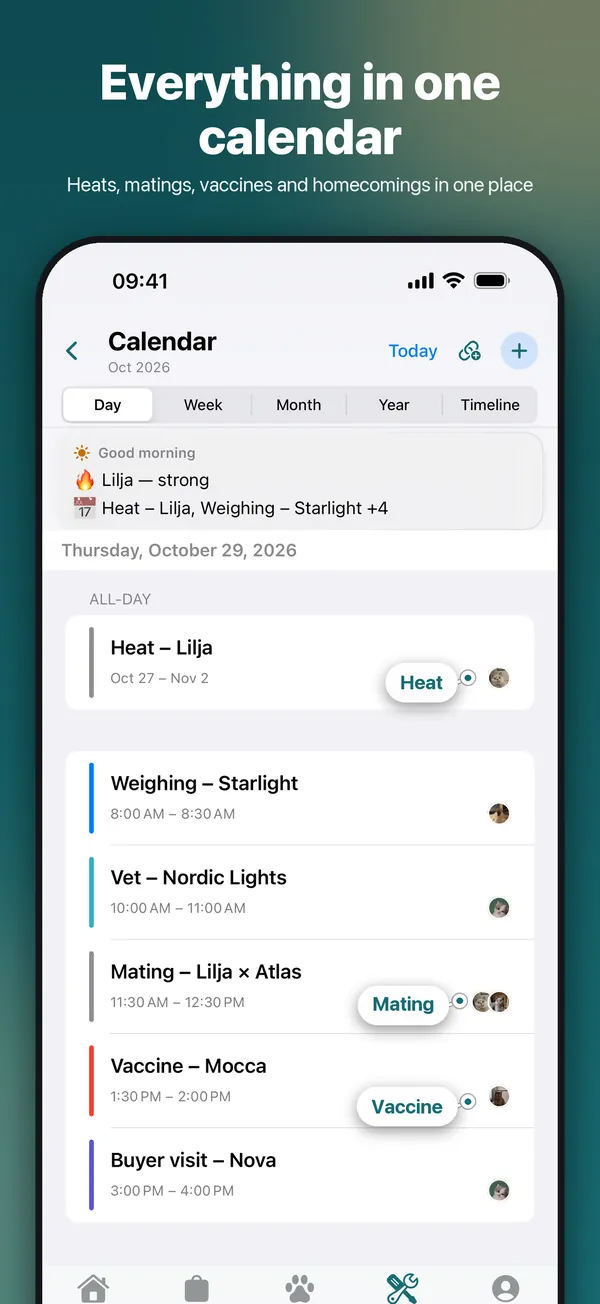
  • Log heat and matings
See the full guide →
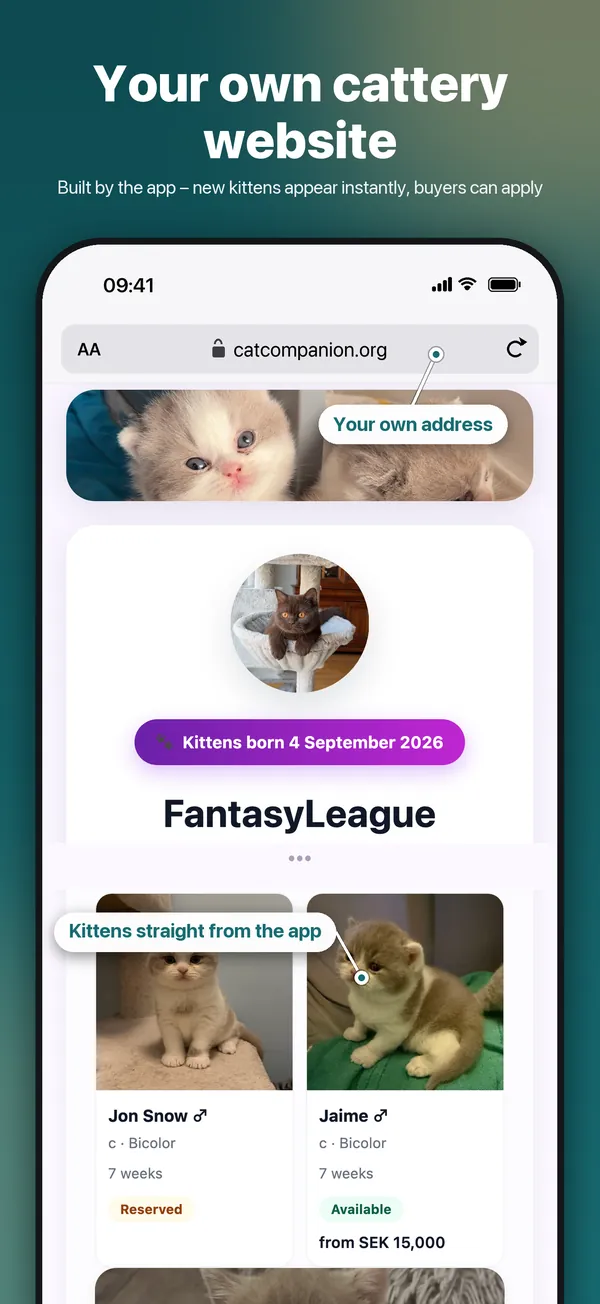
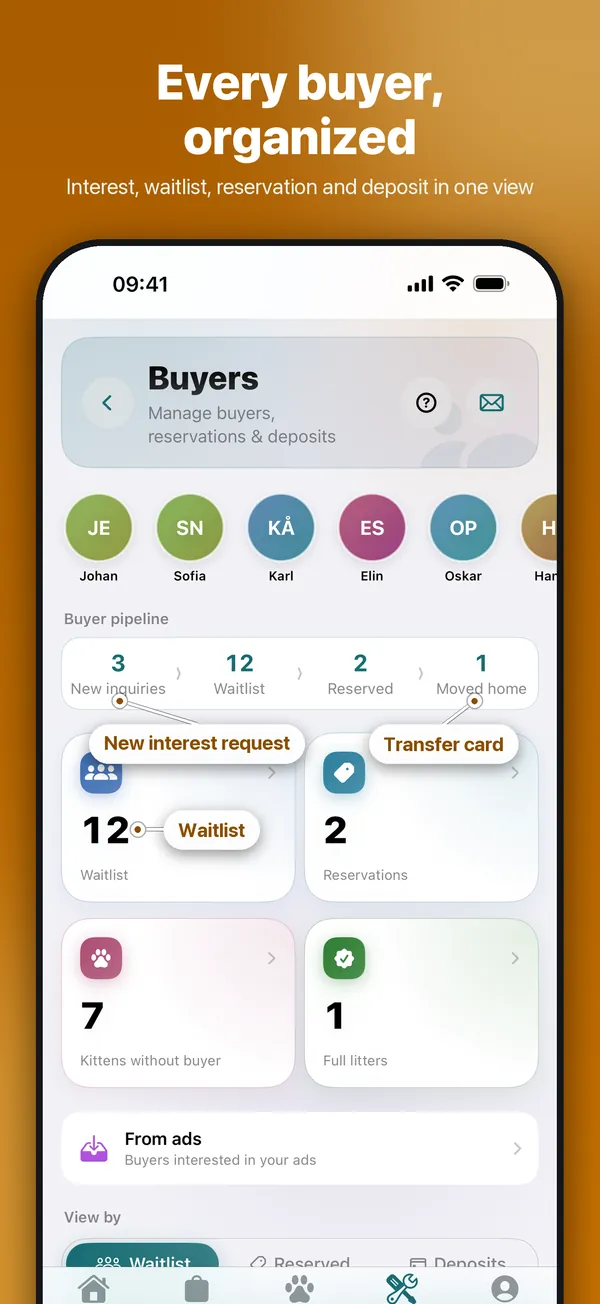
CatCompanion buyer hub: buyer pipeline with new interest requests, waitlist, reservations and moved-home kittens
Cat Breeder Premium

Waitlist, interest requests and deposits

Everyone who wants a kitten in one list. Requests from your cattery website land in an inbox, you reserve a kitten in one tap, and deposits are booked in your finances automatically.

  • Run your waitlist
  • Go through new interests
  • Register a deposit
  • Keep the books per litter
See the full guide →
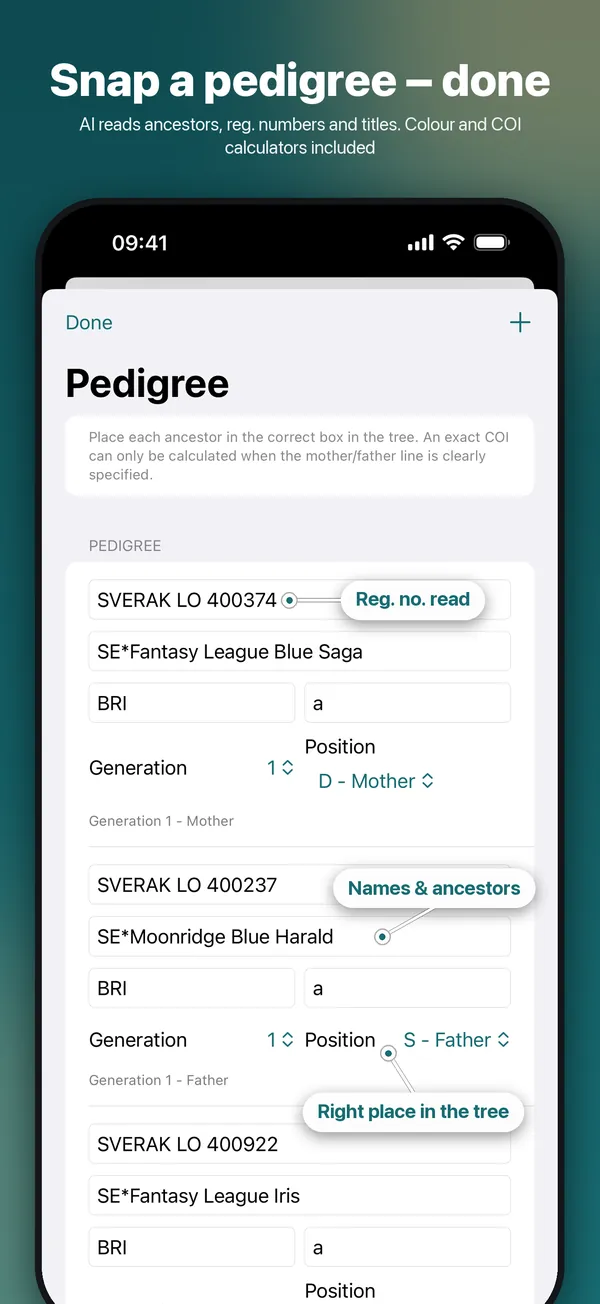
CatCompanion pedigree scanner: scanned ancestors with registration numbers placed in the right position of the family tree
Cat Owner Premium

Scan a pedigree in seconds

Photograph a paper pedigree, or pick a PDF, and the AI places every ancestor in the right spot of the tree — ready for the colour and inbreeding calculators.

  • Scan a pedigree
See the full guide →

For cat owners

Everything about your cat in one place — with reminders, so nothing is missed.

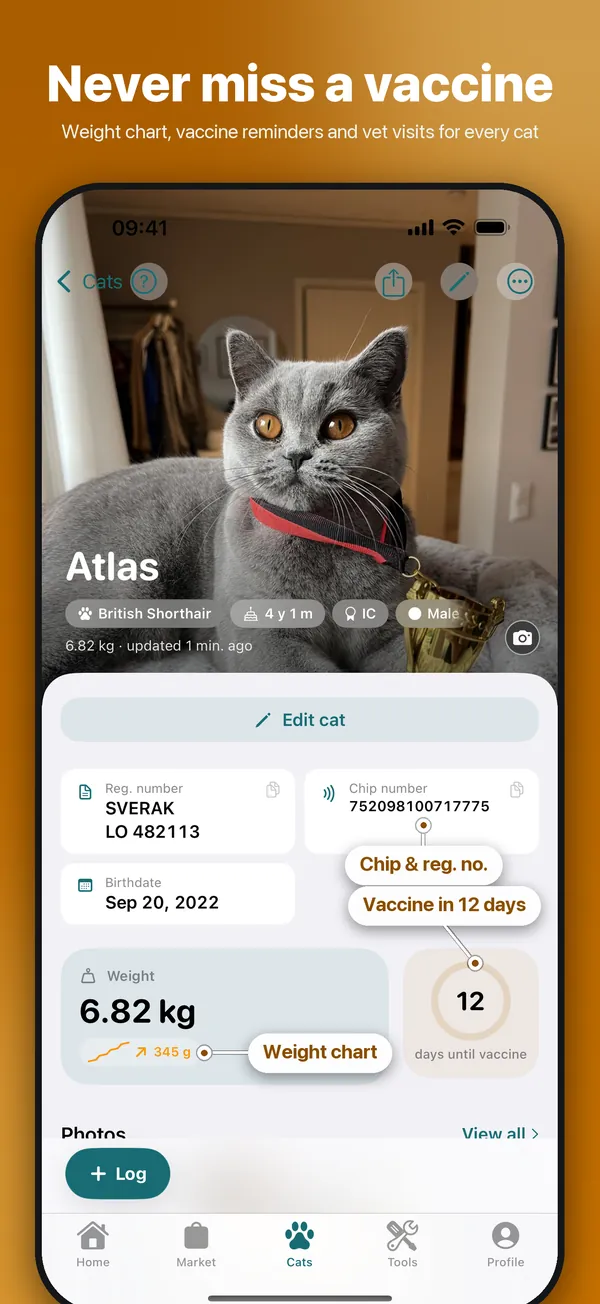
Cat profile in CatCompanion: British Shorthair Atlas with registration and chip number, next vaccination and weight curve
Free

Start your cat's journal in a minute

Name, sex and date of birth is all it takes. Then add photos, vaccinations, weights and papers — the AI reads your documents for you.

  • Add your first cat
  • Keep every paper in the cat's documents
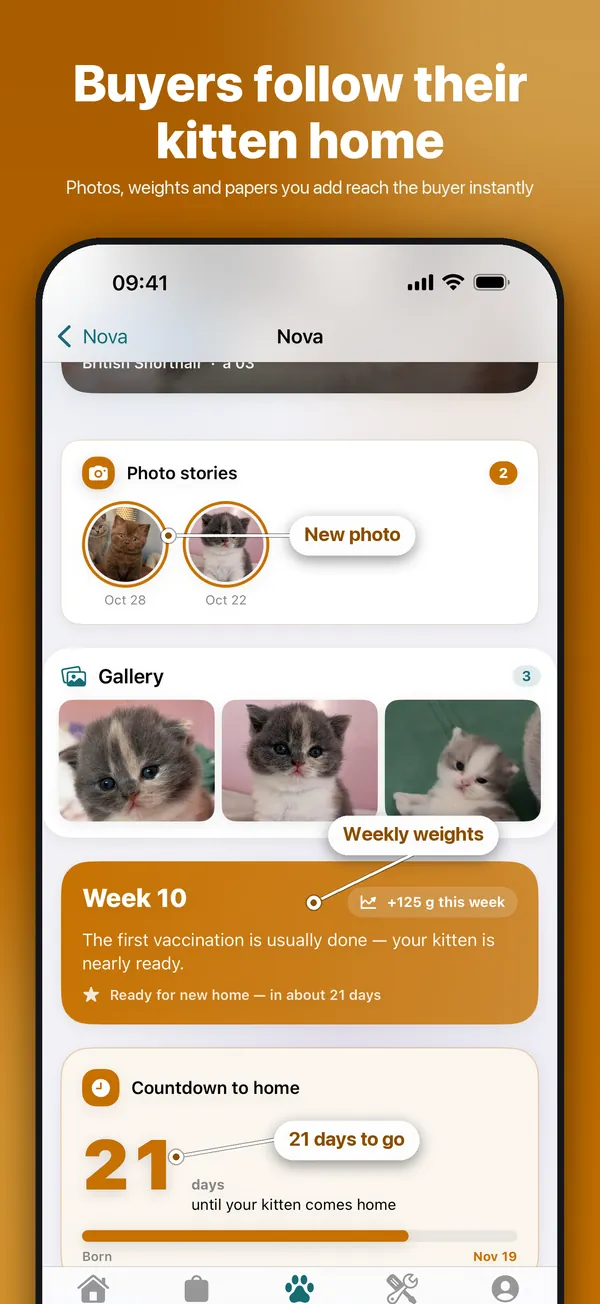
  • Track weights with growth curves
See the full guide →

Looking for a kitten?

Browse kittens and cats from breeders in the app's Market and on the breeder map. It's free, and you don't need an account to look around.

Start your search

Free or paid?

CatCompanion is free to download, and the free Basic plan stays free:

Up to 2 cats · 2 AI chats/day · Feed · Breeder map · Calendar · Cat registry

Which plan should I choose?

Do you breed kittens, even just now and then? Choose Cat Breeder Premium. Have cats but don't breed? Choose Cat Owner Premium.

Cat Owner Premium

For you if you have cats but don't breed kittens. Weight charts, finances, pedigree scanner, annual report, colour calculator and articles.

Cat Breeder Premium

For you if you breed kittens — even the occasional litter. Everything in Cat Owner Premium plus the buyer portal, litter and stud ads, breeding and inbreeding calculators and breeding planning.

All breeder tools are open for 7 days — no payment, no account needed. Premium plans start with a free trial in the App Store, and you can cancel any time.

Questions and answers

Is CatCompanion free?

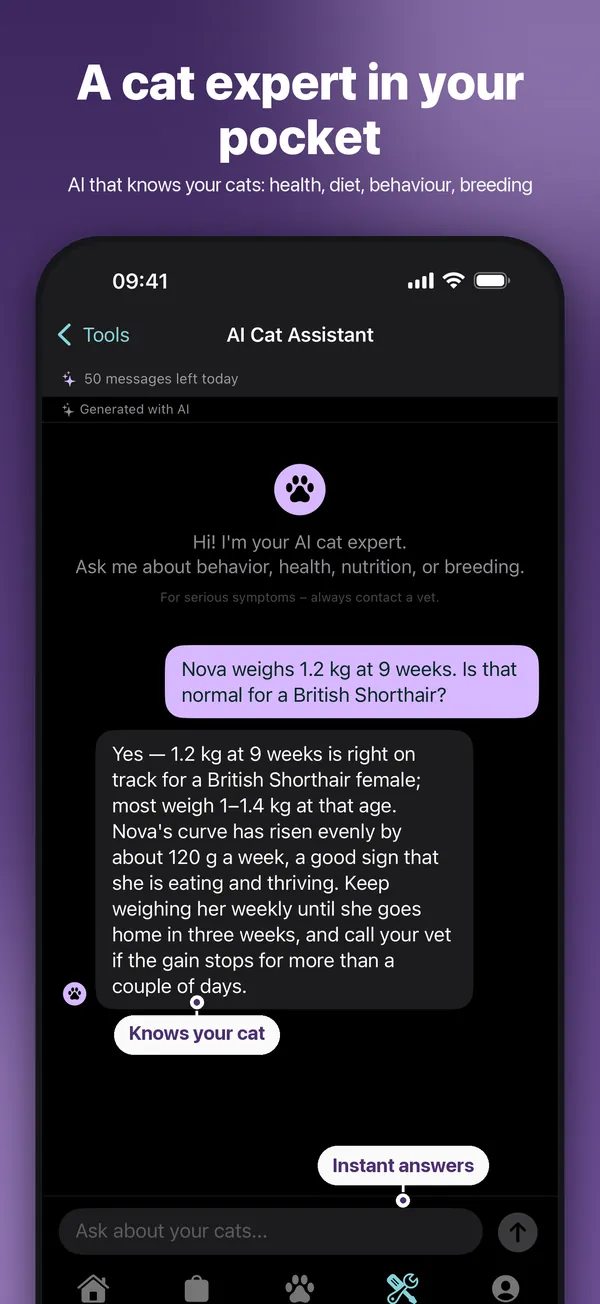
Yes. The app is free to download, and the free Basic plan covers up to two cats with health journal, vaccinations, diary, calendar, the marketplace and two AI questions a day. Cat Owner Premium and Cat Breeder Premium add more tools.

Can I try the breeder tools before I pay?

Yes. Choose that you breed cats when you start the app, and all breeder tools are open for 7 days — no payment and no account needed. Premium plans then start with a free trial in the App Store.

Is there an Android app?

The Android app is in a closed test on Google Play right now. Email support@catcompanion.org if you'd like to join. Your account works on both iPhone and Android.

Who can see my cats and my data?

Your journal, finances and buyer lists are private. Only what you choose to publish — your cattery website, ads or a public cat profile — is shown to others, and health data on a public profile is only shown if you turn it on.

Can I get my data out of the app?

Yes. Export your cats, weights, vaccinations and books as CSV files for Excel, Numbers or Google Sheets, or take a full backup whenever you like.

Which languages does the app speak?

CatCompanion is available in 11 languages: English, Swedish, German, Spanish, French, Japanese, Polish, Turkish, Czech, Korean and Portuguese.
Get CatCompanion

Free to download. Your cats, your cattery and your buyers — all in one app.

Download on the App Store