Free

Start your cat's journal in a minute

Name, sex and date of birth is all it takes. Then add photos, vaccinations, weights and papers — the AI reads your documents for you.

More about this feature: Cat health journal →

QR code that opens CatCompanion in the App Store
Scan with your phone's camera

The code opens CatCompanion in the App Store on your phone.

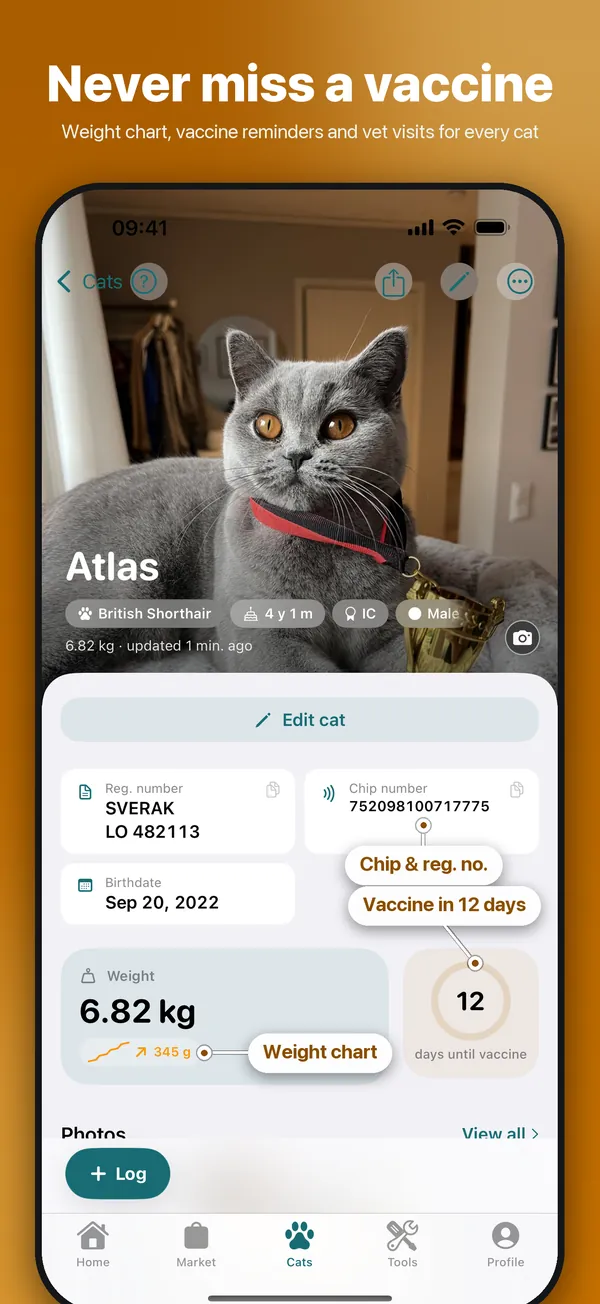
Cat profile in CatCompanion: British Shorthair Atlas with registration and chip number, next vaccination and weight curve
Screenshots from the app with example data.

Add your first cat

Every cat gets its own journal: health, weights, documents and family in one place.

Step by step

  1. Open Cats and tap Add Cat.
  2. Fill in name, sex and date of birth. Everything else can wait.
  3. Save. Open the cat to add a photo, vaccinations and weights.
Good to knowHave a pedigree? Open the cat → Scan papers → Pedigree and the parents fill themselves in.

Keep every paper in the cat's documents

Pedigrees, vet certificates, test results and contracts always at hand, read and summarised by the AI.

Step by step

  1. Open Cats, tap the cat and choose the Documents tab.
  2. Tap + and add a photo or a PDF.
  3. Check the AI's interpretation, adjust if needed and save. The original file is kept too.
Good to knowTurn on Share with kittens on a parent's document and it follows the kittens of its litters.
Cat Owner Premium

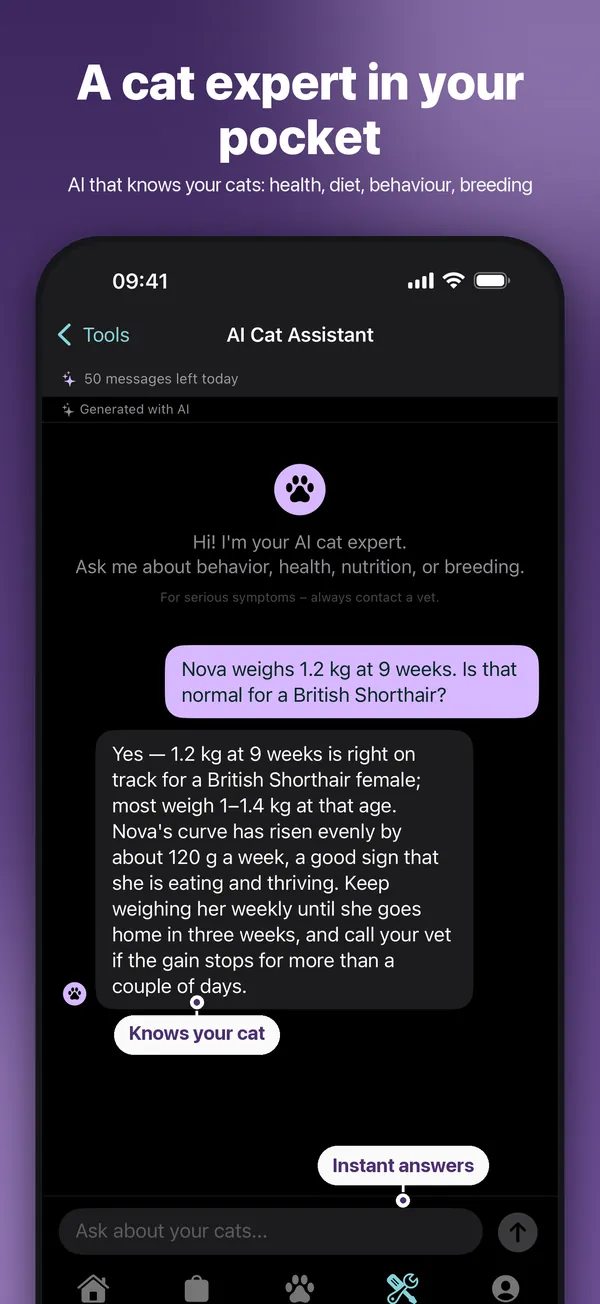
Track weights with growth curves

Regular weighing is the earliest sign that a kitten or cat isn't thriving.

Step by step

  1. Open Tools → Health & everyday → Weight table.
  2. Choose the cat or kitten and enter today's weight.
  3. Follow the curve over time. The same weights show on the cat's own profile.
Good to knowGrams or kilograms? Change the unit in Profile → Settings → Weight Settings.
More you can do

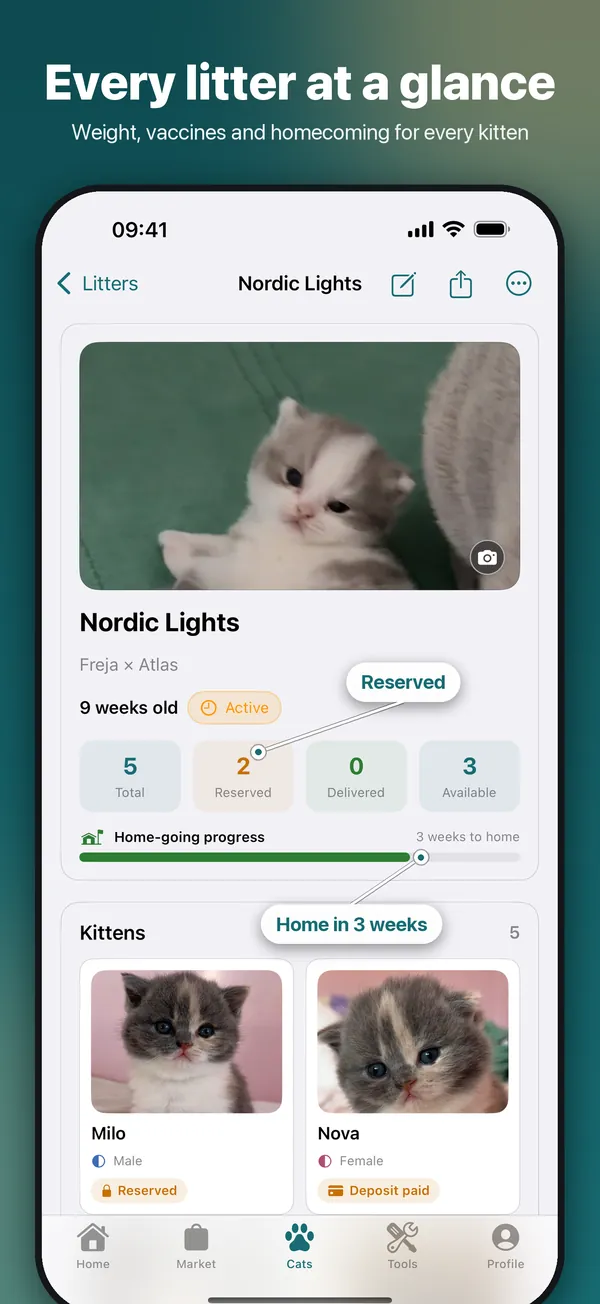
CatCompanion litter view: the litter Nordic Lights with kitten photos, reserved and available kittens and weeks until homecoming
Cat Breeder Premium

Litters and kittens, step by step

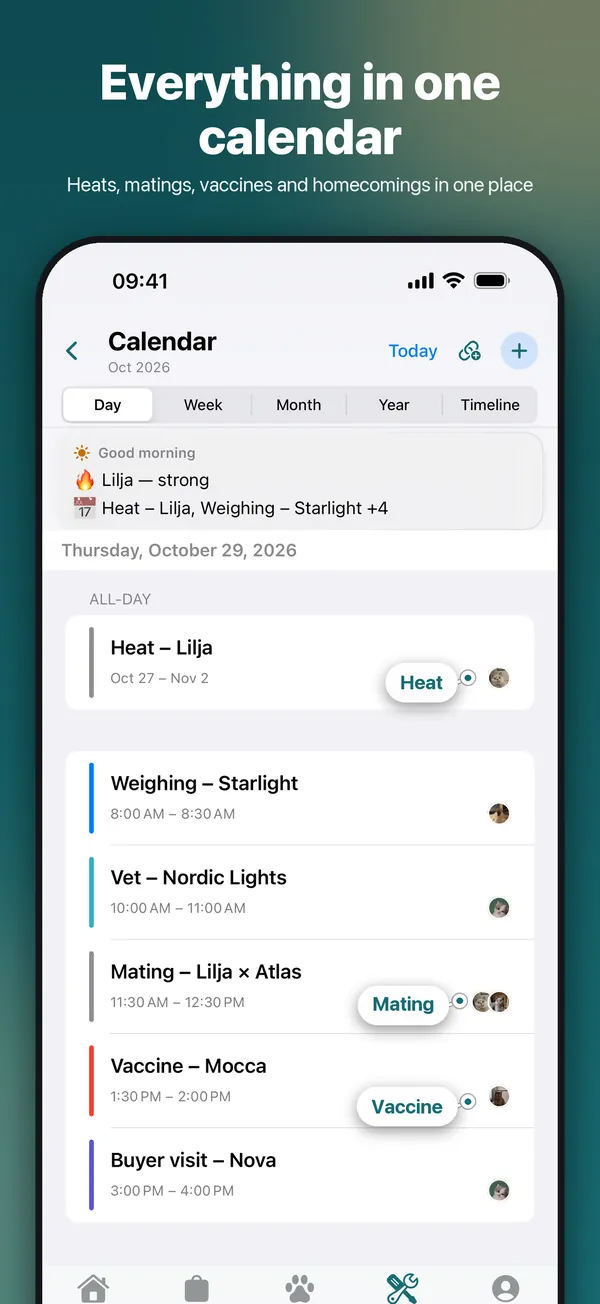
Register the litter once and every kitten gets its own profile — weights, reservations and the moving card all follow from there. Heat and mating dates give you the expected birth window.

  • Register a litter and its kittens
  • Log heat and matings
See the full guide →
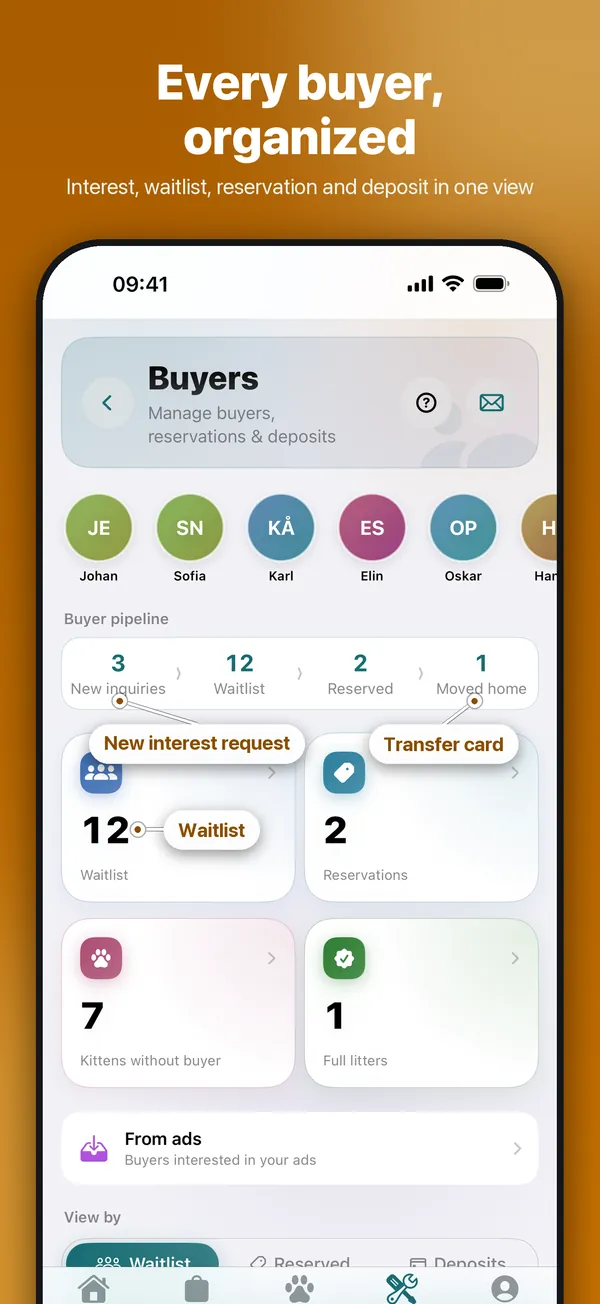
CatCompanion buyer hub: buyer pipeline with new interest requests, waitlist, reservations and moved-home kittens
Cat Breeder Premium

Waitlist, interest requests and deposits

Everyone who wants a kitten in one list. Requests from your cattery website land in an inbox, you reserve a kitten in one tap, and deposits are booked in your finances automatically.

  • Run your waitlist
  • Go through new interests
  • Register a deposit
  • Keep the books per litter
See the full guide →
All how-to guides →

Get CatCompanion

Free to download. Your cats, your cattery and your buyers — all in one app.

Download on the App Store