The complete toolkit for cat breeders
From mating to moving day: CatCompanion keeps litters, kittens, buyers and paperwork organised — and gives your cattery a public web page buyers can find on Google.
Scan with your phone's camera
The code opens CatCompanion in the App Store on your phone.
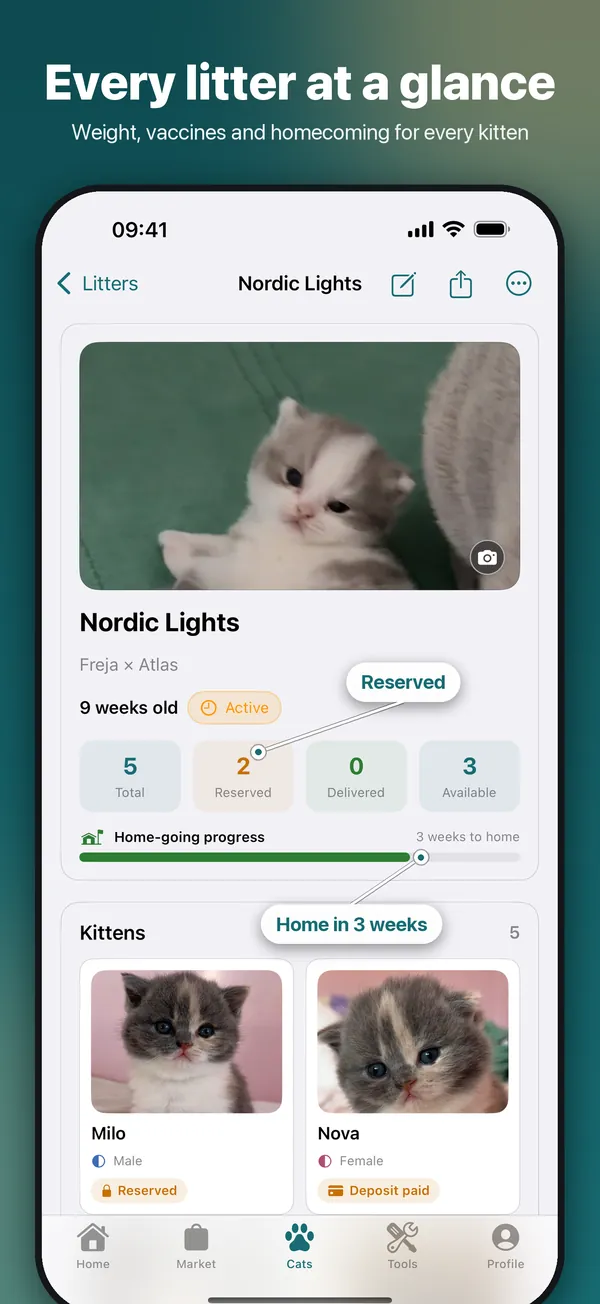
Litters from birth to delivery
Birth weights, weekly weigh-ins, reservations and the moving-day handover.
Waitlist and enquiries
Buyer enquiries land straight in the app, and your waitlist stays in order.
Finances and documents
Track income and expenses, scan receipts and store contracts.
Your cattery online
A public cattery page with your cats, litters and available kittens — no web skills needed.
More features
Cat health journal
Health log, vet visits, medication and diary — organised per cat.
Kitten weight curves
Weigh the litter and follow growth week by week in clear charts.
Vaccination reminders
Automatic reminders when a vaccination or booster is due.
Pedigrees
Scan paper pedigrees and build family trees with photos.
Kittens for sale
Advertise litters and reach buyers directly in the app.
Find a breeder
Browse serious breeders and their planned litters.
Cat documents
Scan and organise pedigrees, certificates and vet reports.